
beemNet VPN
The beem app connects your device to beemNet through an encrypted VPN tunnel, providing comprehensive protection against cyber threats, extended online privacy, and secure access to company data and business applications. This page explains how the beemNet VPN works, what it means for your privacy, and how hotspot connections are handled.
Overview
With the beem app, you can connect your smartphones, tablets, Macs, and PCs to beemNet from anywhere. Your data connection is encrypted end-to-end, your IP address is masked, and harmful content such as phishing sites, viruses, and ransomware is blocked before it can reach your device. If a threat is detected while using an app, you will receive an instant push notification.
Users of beem Standard, Plus, or Premium Security Editions also benefit from secure, context-aware access to business applications and company data.
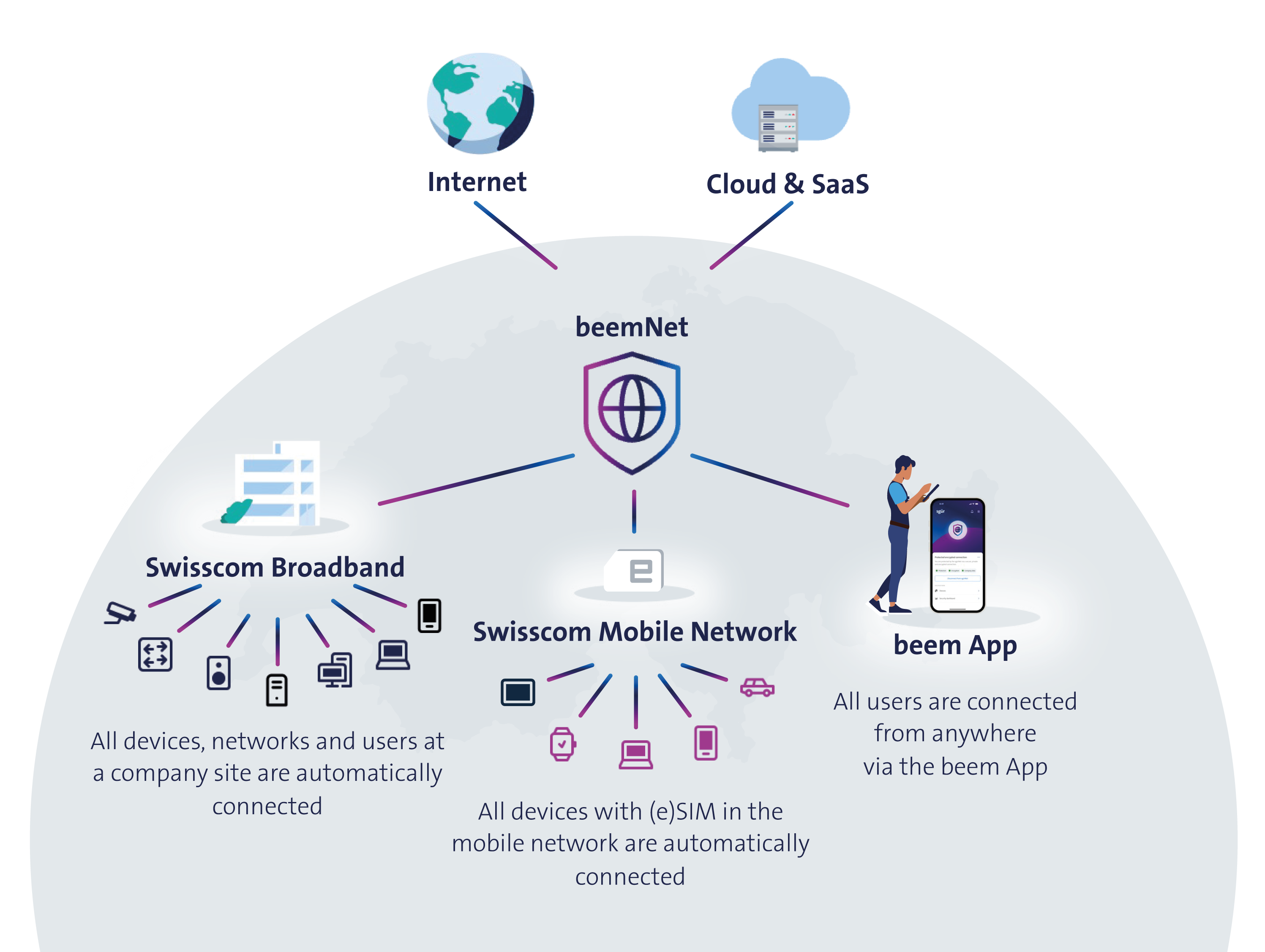
beemNet VPN connection
When you use the beem app, it creates a VPN connection on your device labelled beemNet. Although your device's operating system may display this as a standard VPN, beemNet operates very differently from both consumer and corporate VPN services:
- Consumer VPNs only encrypt traffic and mask your location. beemNet goes further, securing not just your data but also how it is routed across the network, protecting your devices end-to-end.
- Corporate VPNs give blanket access to internal networks; beemNet provides temporary, selective access to business apps and company data only when needed.
The beem app customises the VPN setup based on your operating system and the configurations made by your beem administrator. Some features are handled by the app itself, others by your device's operating system. The VPN configuration is visible in your device's settings. If you (accidentally) delete it, the beem app will automatically recreate it.
WARNING
Do not run any other VPN solution on the same device as the beem app if you want to connect to the beemNet VPN; this may cause compatibility, stability, or performance issues.
Online privacy
The beem app protects your privacy through a multi-layered approach:
- End-to-end encryption: All communication between your device and the beemNet infrastructure is encrypted, keeping sensitive information confidential throughout transmission.
- IP address cloaking: Your IP address is masked, making it difficult to trace or identify you based on network activity.
- Policy-driven privacy enforcement: beem enforces strict internal policies to prevent tracking and profiling, governing how data is collected, stored, and shared. These policies adapt to the selected security level and include blocking common tracking mechanisms to reduce the risk of third-party surveillance or data leakage.
INFO
Whether at home or abroad, the beem app VPN always shows your location as Switzerland.
Hotspot
Mobile devices with an agentless beemNet connection (established through a beem SIM on a Swiss mobile network) extend their protection to any device connected via hotspot. However, this extended protection is limited to basic security features, such as Stateful Packet Inspection.
Advanced features, such as Deep Packet Inspection and access to business applications, require an agent-based connection, established via the beem app's encrypted beemNet VPN. Since the beem app cannot extend this VPN connection to hotspot-connected devices, advanced security and access features are not available to them.
TIP
Disable the Maximise Compatibility option on iOS devices to ensure stable beemNet tethering.